The last thing grieving family members need is to stress out about managing funds, ensuring accountability, and handling financial reporting.
Nobuk bot, the whatsapp always-on treasurer, was built exactly to assist group committees to easily acknowledge payment receipt, track and report contributions in whatsapp groups. Having nobuk collect bot in your contribution group is like having a dedicated treasurer in each group, collecting and reporting contributions, while all funds are directed to one or multiple bank accounts.
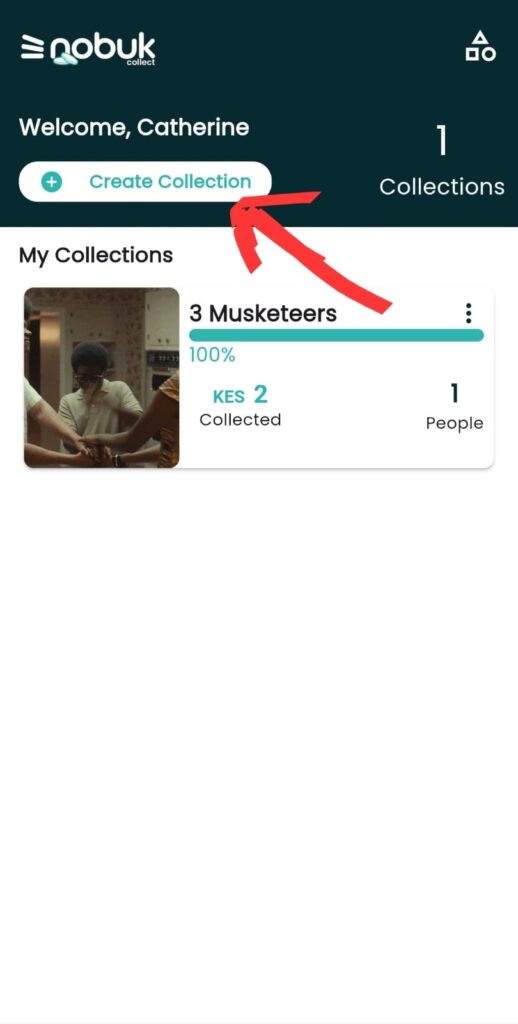
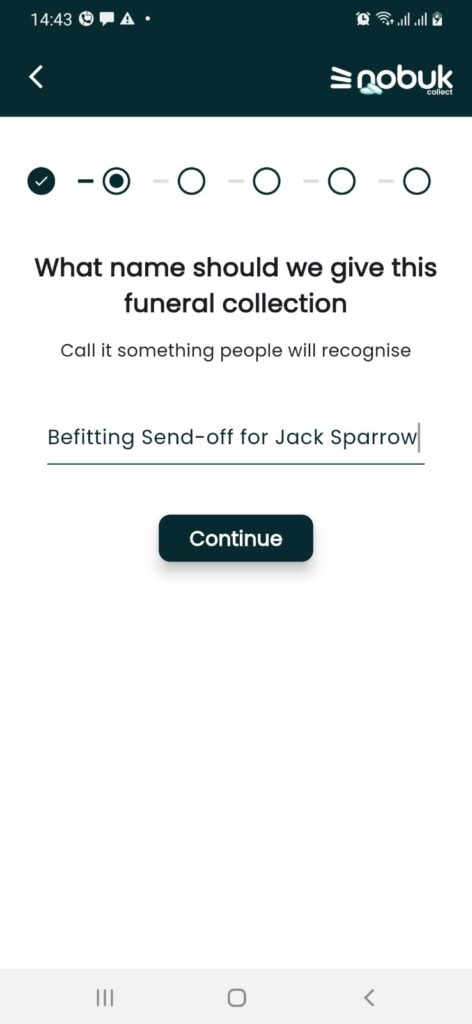
Here is how you set up nobuk collection with bot
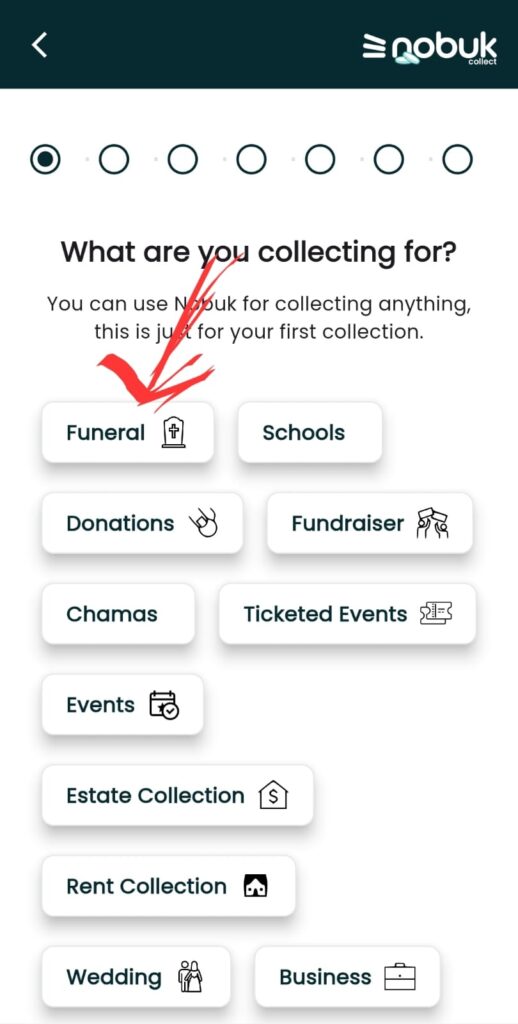
1. Select a template (Funeral or Fundraiser)
Your selection of a template is important as templates are preset for you reducing your set up time. Funeral templates also have special discounted pricing. Before you start setting up, you will need to have agreed on the bank account to use (because this cannot be changed later).
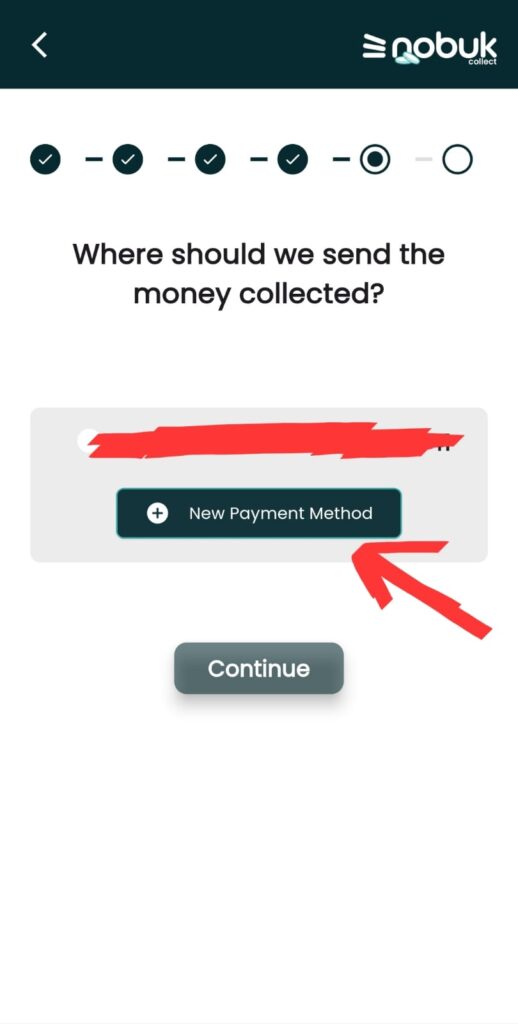
2. Add the Bank account details
Nobuk collect is a non-custodial platform meaning that we do not hold any funds. Funds go diectly to a your Bank, Mpesa Buygoods/till or Paybill numbers. You will therefore need to select your bank from the list of the banks in the platform, if your bank is missing from the list then just add the bank paybill (e.g 522522 for KCB, 542542 for I&M bank etc) and then add the bank account number.
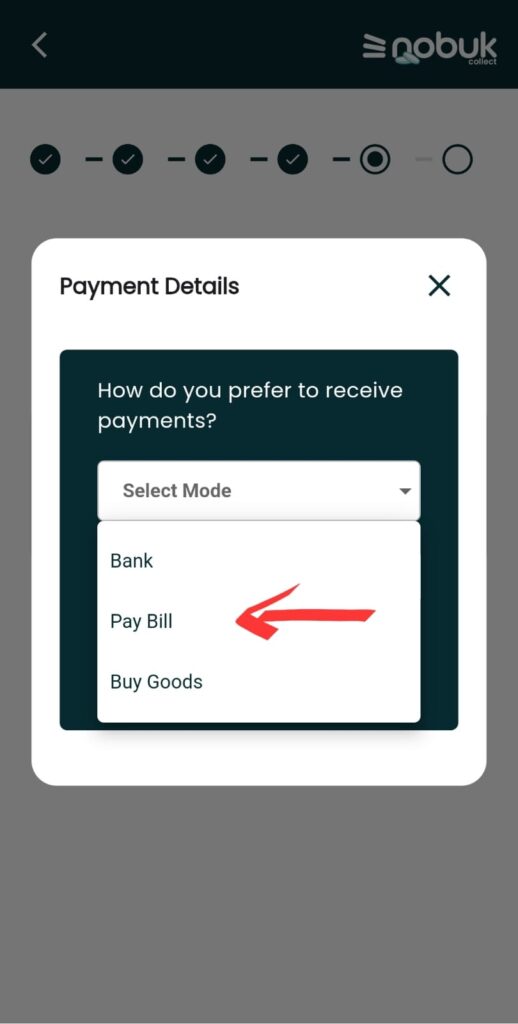
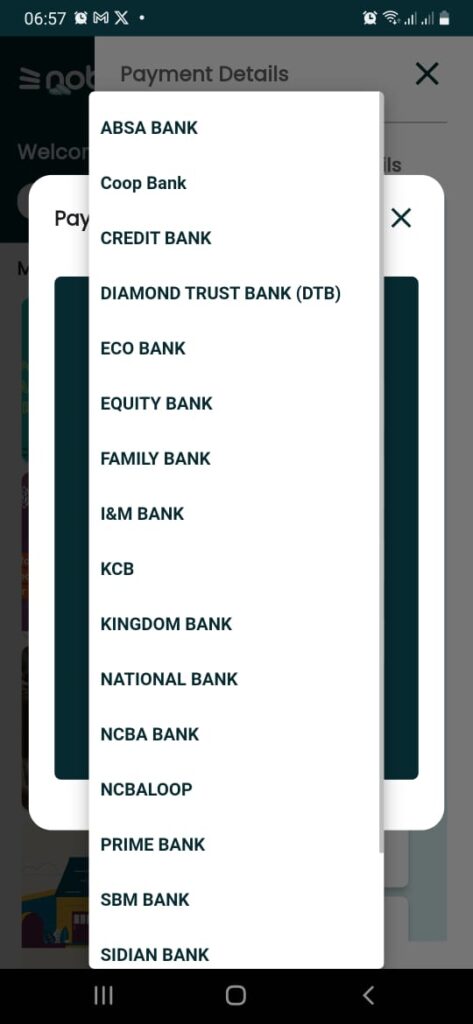
3. Customize link for different giving groups
By default if you pick funeral template, it will come prefilled with collecting groups such as friends, coleagues, church, family. But if you would like to customize this further, go to paylink page settings and update these. Here is how
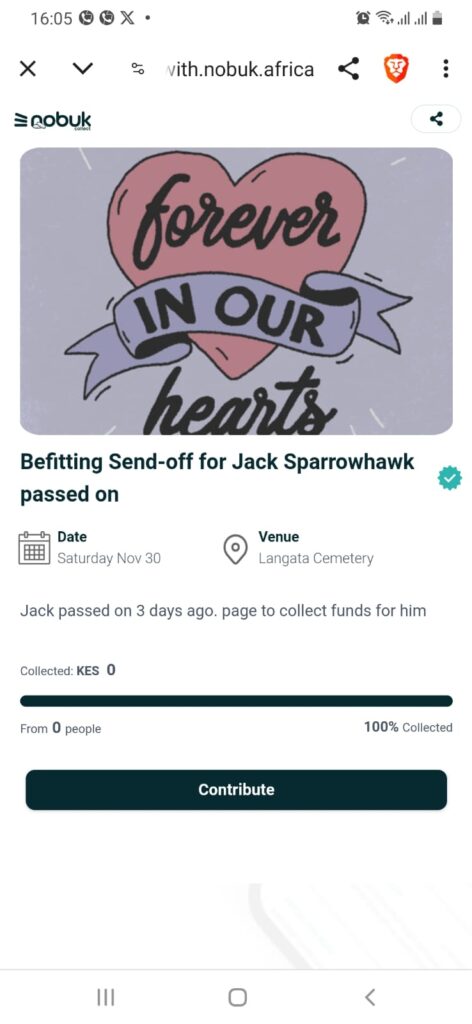
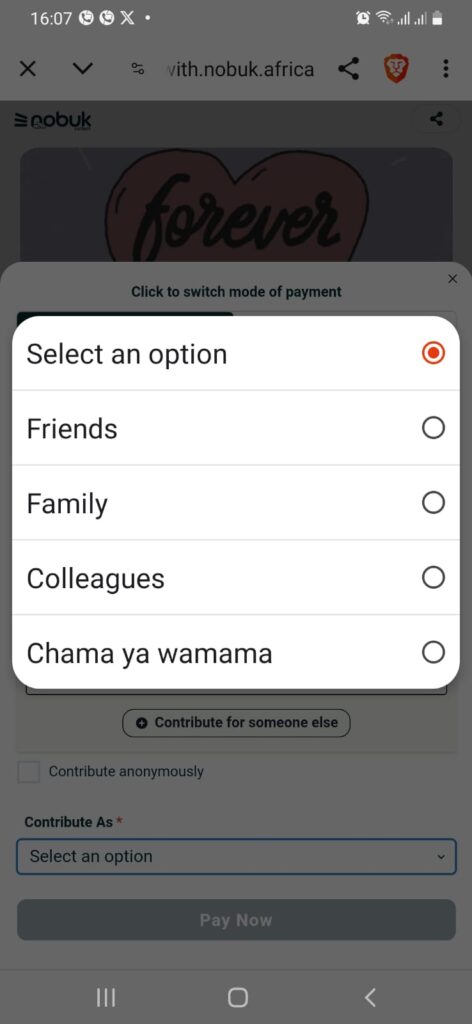
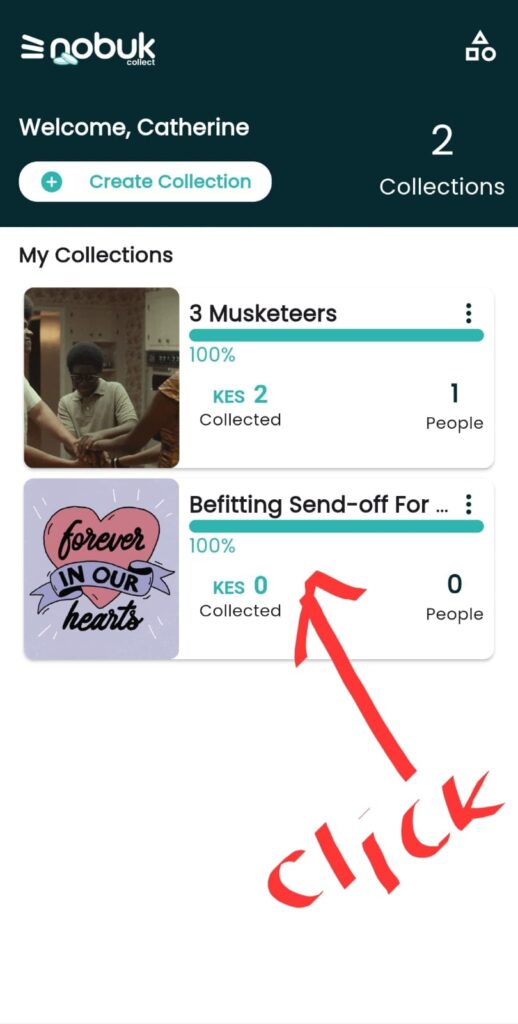
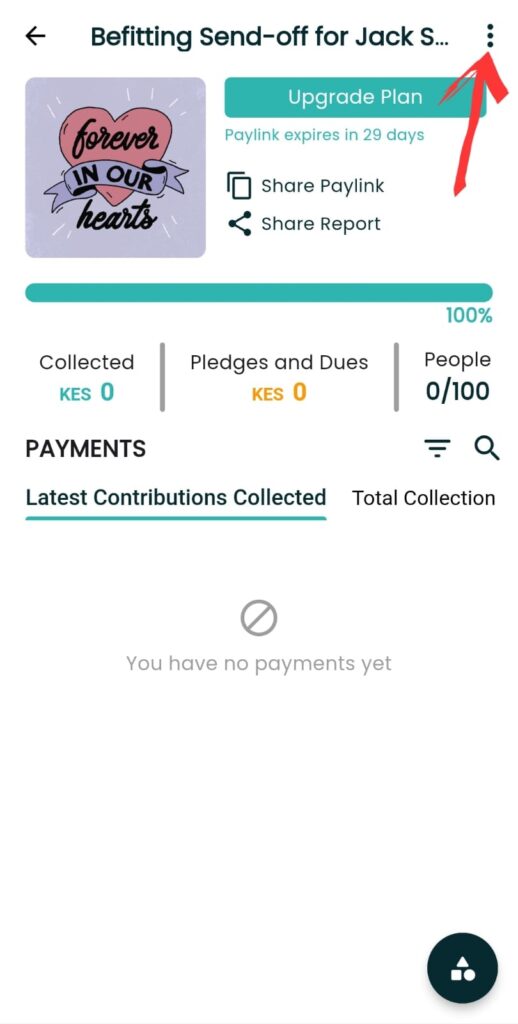
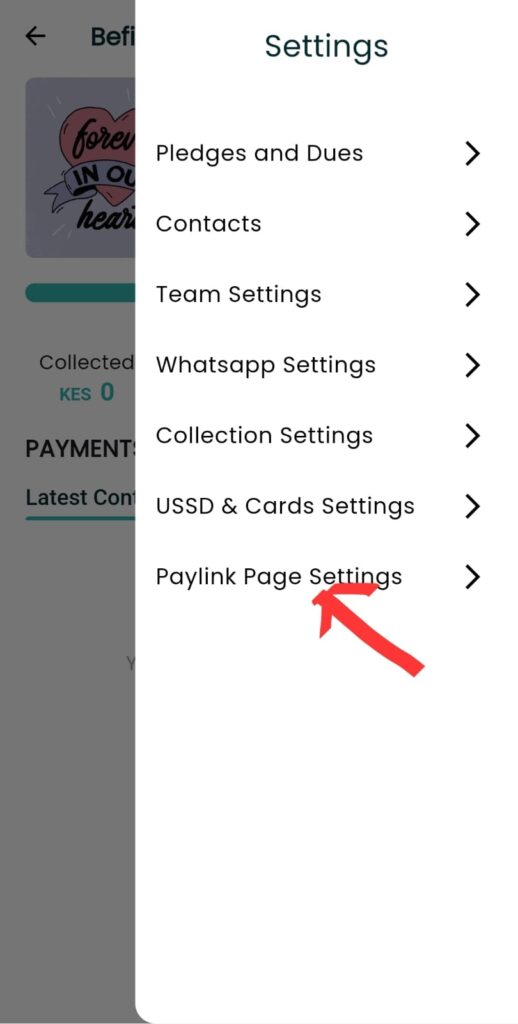
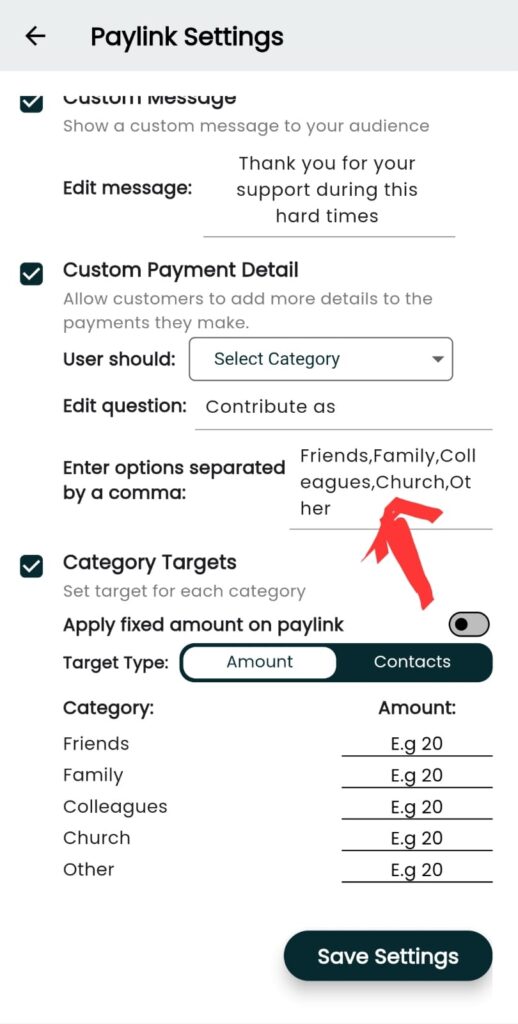
4. Set up the collection assistant bot – nobuk bot
Nobuk bot automates the process of payment acknowledgement and tabulation of totals directly to the whatsapp group. To set it up, you will need to add the bot number to your whatsapp group as a member first then go to whatsapp settings page on the nobuk collect app and add your whatsapp group to the collection settings.
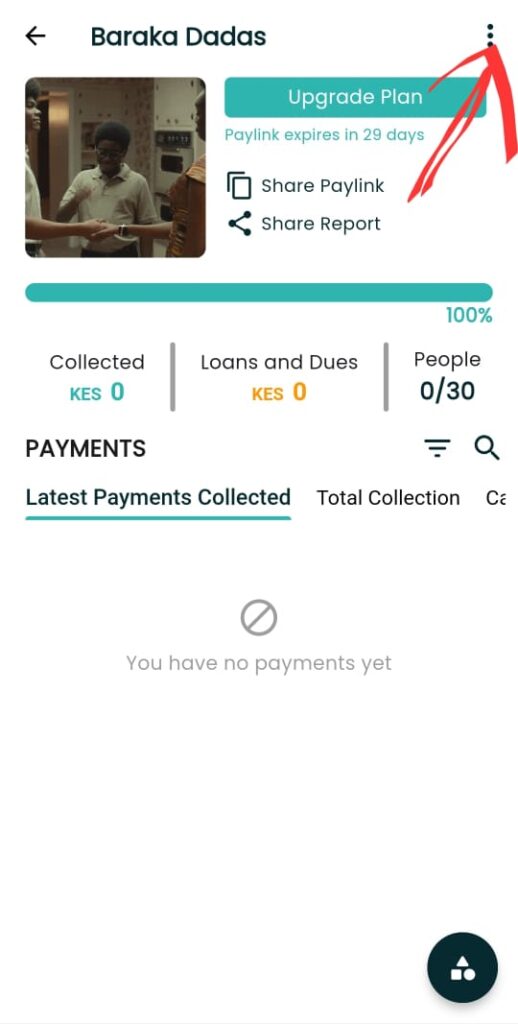
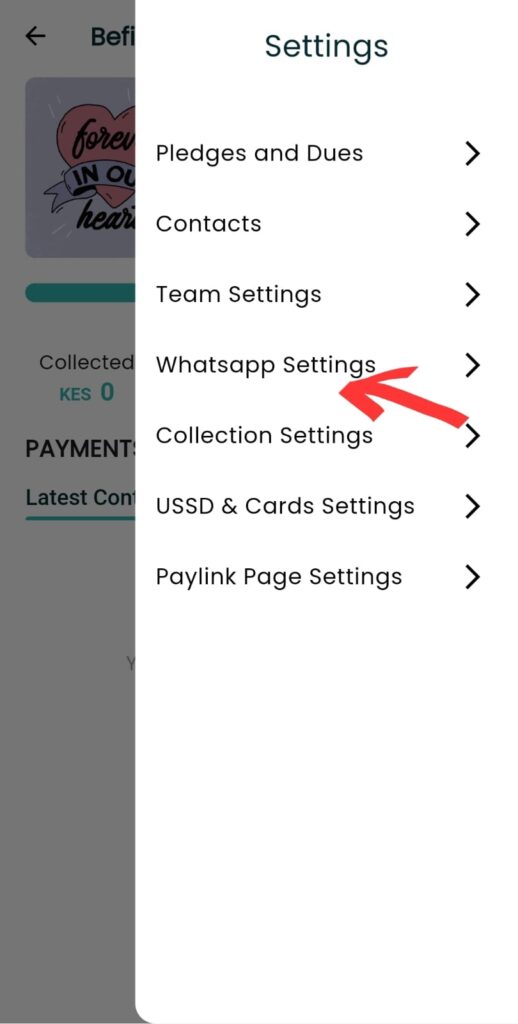
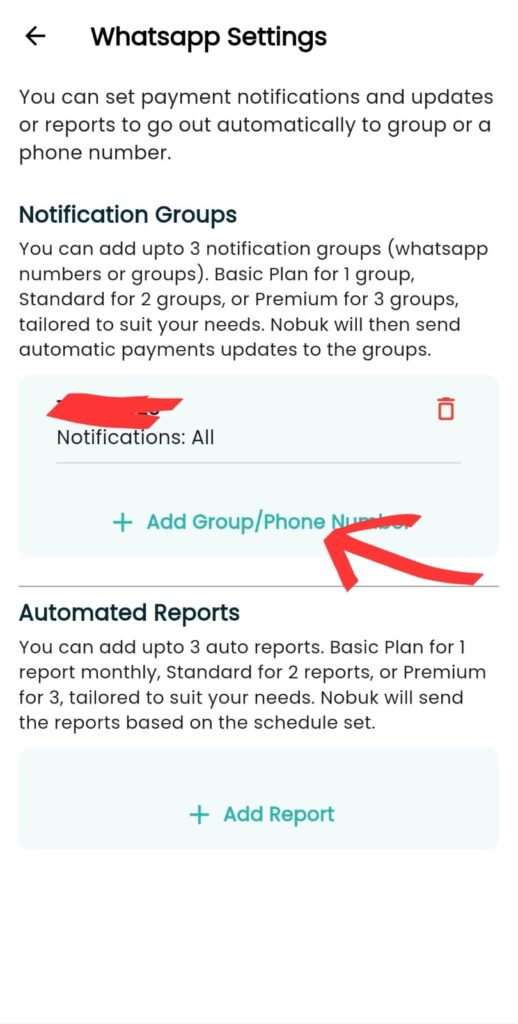
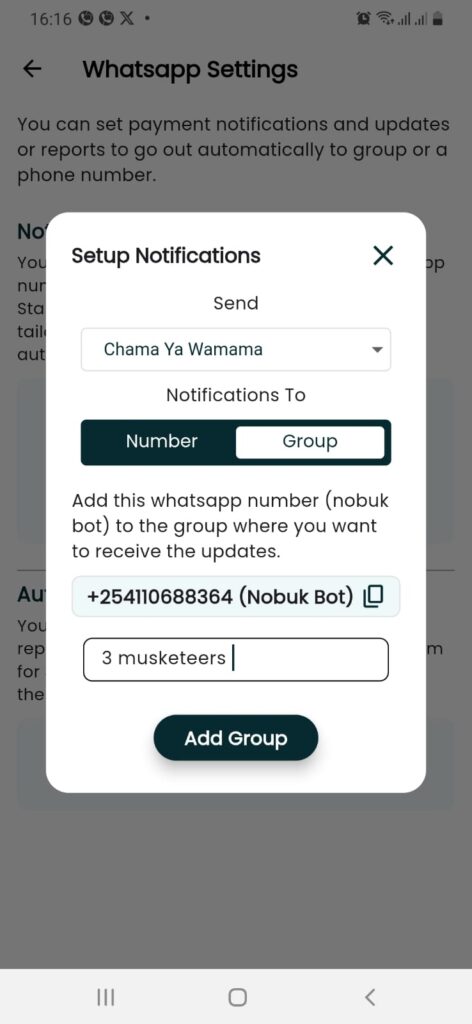
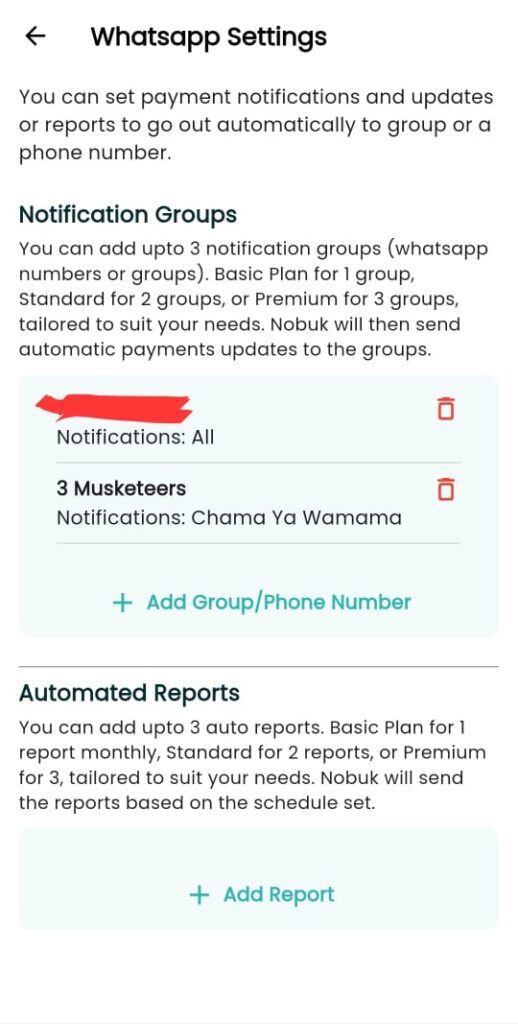
You are almost done. Now you can add automated reports and the collection assistant bot will now assist you in managing the collection.
Leave a Reply